public static object CloneObject(object objSource) { //step : 1 Get the type of source object and create a new instance of that type Type typeSource = objSource.GetType(); object objTarget = Activator.CreateInstance(typeSource); //Step2 : Get all the properties of source object type PropertyInfo[] propertyInfo = typeSource.GetProperties(BindingFlags.Public | BindingFlags.NonPublic | BindingFlags.Instance); //Step : 3 Assign all source property to taget object 's properties foreach (PropertyInfo property in propertyInfo) { //Check whether property can be written to if (property.CanWrite) { //Step : 4 check whether property type is value type, enum or string type if (property.PropertyType.IsValueType || property.PropertyType.IsEnum || property.PropertyType.Equals(typeof(System.String))) { property.SetValue(objTarget, property.GetValue(objSource, null), null); } //else property type is object/complex types, so need to recursively call this method until the end of the tree is reached else { object objPropertyValue = property.GetValue(objSource, null); if (objPropertyValue == null) { property.SetValue(objTarget, null, null); } else { property.SetValue(objTarget, CloneObject(objPropertyValue), null); } } } } return objTarget; } |
Visualizzazione post con etichetta "c#". Mostra tutti i post
Visualizzazione post con etichetta "c#". Mostra tutti i post
sabato 14 dicembre 2013
Clonare un oggetto tramite reflection
Classe utility per clonare un oggetto tramite reflection.

domenica 1 dicembre 2013
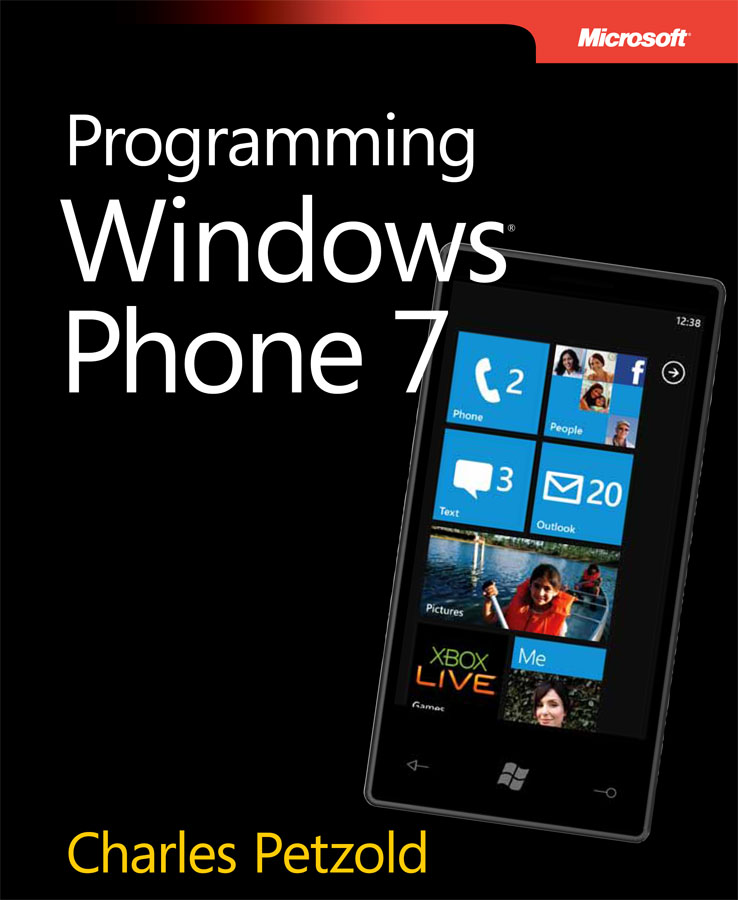
[WP7] Programming Windows Phone 7 by Charles Petzold
Ebook gratuito rilasciato da Charles Petzold riguardante lo sviluppo di applicazioni per la piattaforma Windows Phone 7.
martedì 10 settembre 2013
Visual Studio 2013 RC
Visual Studio 2013 Release Candidate è finalmente disponibile.

Per conoscere tutte le novità visitare questa pagina.
Download
Per conoscere tutte le novità visitare questa pagina.
Download
domenica 8 settembre 2013
Implementare INotifyPropertyChanged
Di seguito viene illustrato come implementare l'interfaccia INotifyPropertyChanged per notificare che una proprietà è cambiata.
public class ViewModel : INotifyPropertyChanged
{
    public event PropertyChangedEventHandler PropertyChanged;
    protected void OnPropertyChanged(string propertyName)
    {
        PropertyChangedEventHandler handler = PropertyChanged;

        if (handler != null)
        {
            handler(this, new PropertyChangedEventArgs(propertyName));
        }
    }

    private string miaProprieta;
    public string MiaProprieta
    {
        get { return miaProprieta; }
        set
        {
            if (miaProprieta != value)
            {
                miaProprieta = value;
                OnPropertyChanged("MiaProprieta");
            }
        }
    }
}
lunedì 19 agosto 2013
[WP7] Abilitare/Disabilitare bottoni dell'ApplicationBar
Metodo esteso per abilitare/disabilitare tutti i bottoni dell'ApplicationBar:
public static class ApplicationBarUtility
{
    public static void SetButtonState(this IApplicationBar app, bool state)
    {
        if (app == null) return;

        app.IsMenuEnabled = state;

        foreach (ApplicationBarIconButton btn in app.Buttons)
        {
            btn.IsEnabled = state;
        }
    }
}
martedì 6 agosto 2013
[WPF] Riavviare applicazione
Riavviare applicazione WPF
System.Windows.Forms.Application.Restart();
System.Windows.Application.Current.Shutdown();
domenica 4 agosto 2013
Coding4Fun Toolkit 2.0.7
Versione 2.0.7 di Coding4Fun Toolkit rilasciata
New/Adjustments
- SafeDispatcher.Run was added.
- IsTypeOf extension now will work with stuff other than UI controls
- Moved IsDesignMode to ApplicationSpace, will deprecate old reference next push
- Moved CheckBounds to a number of helper extension class, will deprecate old reference next push
- Added TimeSpan, Int, Double, Float extension helpers for CheckBounds, AlmostEquals
- Added Numbers.Min, Numbers.Max for wrappers to Linq query for non-array wrapped numbers.
- Deprecate the old nuget packages from Coding4Fun.Phone time frame, they should auto update now. I kept forgetting to hide them.
- ImageTile - now have bitmaps with a delay create and background create
- ApplicationSpace.RootFrame - direct reference to root frame of the application
Bug Fixes
- TimeSpanPicker - DialogTitle works again
- TimeSpanPicker - Max is now enforced for during initial set.
- ChatBubbleTextBox - Fixed margin error
- LockScreenPreview - text viewable in light theme
- MemoryCounter - DispatcherTImer wasn't being properly destroyed
- MemoryCounter - FrameNavigated getting called on leaving and reentering
- ImageTile - FrameNavigated getting called on leaving and reentering
- Designer Theme Change ObjectDisposedException bug fixed. Occurred when you flipped between Light and Dark theme
venerdì 2 agosto 2013
[WP7] Aggiungere/Aggiornare/Rimuovere LiveTile a Start
Esempio che spiega come aggiungere/rimuovere le LiveTile a Start.
NB: Per le due immagini (Background.png e BackBackground.png) settare la proprietà Operazione di compilazione come Contenuto
internal enum Operation { Add, Remove } public partial class MainPage : PhoneApplicationPage { private void LiveTile(Operation operation) { const string TITLE = "LiveTile"; ShellTile tile = ShellTile.ActiveTiles.FirstOrDefault(x => x.NavigationUri.ToString().Contains("TuoParametro=" + TITLE)); switch (operation) { //Aggiungo/Aggiorno LiveTile case Operation.Add: StandardTileData liveTile = new StandardTileData { Title = TITLE, BackgroundImage = new Uri("Background.png", UriKind.RelativeOrAbsolute), BackBackgroundImage = new Uri("BackBackground.png", UriKind.RelativeOrAbsolute), Count = 0, BackTitle = "LiveTile 1.0", BackContent = "Esempio LiveTile", }; if (tile == null) { //LiveTile non esistente -> Aggiugno a start try { ShellTile.Create(new Uri("/MainoPage.xaml?TuoParametro=" + liveTile.Title, UriKind.Relative), liveTile); } catch (Exception ex) { MessageBox.Show(ex.Message); } } else { //LiveTile esistente -> Aggiorno tile.Update(liveTile); } break; //Rimuovo LiveTile case Operation.Remove: if (tile != null) { //LiveTile esistente -> Rimuovo try { tile.Delete(); MessageBox.Show("LiveTile rimossa correttamente"); } catch (Exception ex) { MessageBox.Show(ex.Message); ; } } break; } } public MainPage() { InitializeComponent(); } private void btnAggiungi_Click(object sender, RoutedEventArgs e) { LiveTile(Operation.Add); } private void btnRimuovi_Click(object sender, RoutedEventArgs e) { LiveTile(Operation.Remove); } } |
NB: Per le due immagini (Background.png e BackBackground.png) settare la proprietà Operazione di compilazione come Contenuto
mercoledì 31 luglio 2013
[WP7] Path to BitmapImage
Codice per ottere una BitmapImage a partire da un path.
Il path dovrà essere così composto: <NomeProgetto>;component/Path/NomeImmage
public static BitmapImage ImageFromPath(string path) { Uri imgUri = new Uri(path, UriKind.Relative); StreamResourceInfo imageResource = Application.GetResourceStream(imgUri); BitmapImage image = new BitmapImage(); image.SetSource(imageResource.Stream); return image; } |
Il path dovrà essere così composto: <NomeProgetto>;component/Path/NomeImmage
lunedì 29 luglio 2013
Ottenere IP Locale
IPHostEntry host = Dns.GetHostEntry(Dns.GetHostName()); string mioIP = host.AddressList.FirstOrDefault(ip => ip.AddressFamily == AddressFamily.InterNetwork).ToString(); |
mercoledì 24 luglio 2013
Programmazione asincrona con Async ed Await in C# 4.5
Piccolo esempio sulla programmazione asincrona con le nuove parole chiave del .Net Framework 4.5: async ed await.
Nell'esempio abbiamo i due metodi:
Per approfondire l'argomento vi rimando al sito ufficiale dell'MSDN
C#
public partial class MainWindow : Window { private int Compute() { int somma = 0; for (int i = 0; i < 10000; i++) { somma += i; Console.WriteLine(i); } return somma; } private Task<int> ComputeAsync() { return Task.Run(() => Compute()); } public MainWindow() { InitializeComponent(); } private void btnCompute_Click(object sender, RoutedEventArgs e) { Console.WriteLine("Elaborazione in corso..."); int somma = Compute(); Console.WriteLine("Elaborazione terminata: " + somma); } private async void btnComputeAsync_Click(object sender, RoutedEventArgs e) { Console.WriteLine("Elaborazione async in corso..."); int somma = await ComputeAsync(); Console.WriteLine("Elaborazione async terminata: " + somma); } } |
XAML
<Window x:Class="TestWPF.MainWindow" xmlns="http://schemas.microsoft.com/winfx/2006/xaml/presentation" xmlns:x="http://schemas.microsoft.com/winfx/2006/xaml" Title="Async/Await C# 4.5" Height="184.831" Width="346.723"> <Grid> <Button Content="Compute" HorizontalAlignment="Left" Margin="38,53,0,0" VerticalAlignment="Top" Width="97" Name="btnCompute" Click="btnCompute_Click"/> <Button Content="Compute async" HorizontalAlignment="Left" Margin="171,53,0,0" VerticalAlignment="Top" Width="97" Name="btnComputeAsync" Click="btnComputeAsync_Click"/> </Grid> </Window> |
Nell'esempio abbiamo i due metodi:
- Compute(): metodo sincrono
- ComputeAsync(): metodo asincrono (per convezione un metodo asincrono termina col suffisso Async), che restituisce un tipo Task<TResult> (Task<int> nel nostro caso). Se il metodo asincrono non deve ritornare nessun tipo basta mettere solo Task.
Per approfondire l'argomento vi rimando al sito ufficiale dell'MSDN
martedì 23 luglio 2013
Testare se una collection è nulla o vuota (IsNullOrEmpty)
Metodo esteso che consente di testare se una collection è nulla o vuota (IsNullOrEmpty).
public static bool IsNullOrEmpty<T>(this Collection<T> collection) { return collection == null || (collection != null && collection.Count() == 0); } |
lunedì 8 luglio 2013
[PostgreSQL] Il tipo Geometry e ST_GeomFromText()
Esempio di utilizzi del tipo Geometry richiamando la funzione ST_GeomFromText().
using (NpgsqlConnection connection = new NpgsqlConnection(stringaConnessione)) { connection.Open(); using (NpgsqlCommand cmd = new NpgsqlCommand("INSERT INTO miaTabella (campoTipoGeomtry) VALUE(st_geometryfromtext('POINT(' || @lon || ' ' || @lat ||')',4326))", connection)) { cmd.Parameters.AddWithValue("@lat", latitudine); cmd.Parameters.AddWithValue("@lon", longitudine); cmd.ExecuteNonQuery(); } connection.Close(); } |
venerdì 28 giugno 2013
Codificare stringa in MD5
public static string CodificaMD5(string txt)
{
    MD5CryptoServiceProvider md5 = new MD5CryptoServiceProvider();
    byte[] bs = Encoding.UTF8.GetBytes(txt);
    bs = md5.ComputeHash(bs);
    StringBuilder s = new StringBuilder();
    foreach (byte b in bs)
    {
        s.Append(b.ToString("x2").ToLower());
    }
    return s.ToString();
}
Validare indirizzo E-Mail con le Regex
public static bool ValidaEMail(string strIn) { if (String.IsNullOrEmpty(strIn)) return false; return Regex.IsMatch(strIn, @"^(?("")(""[^""]+?""@)|(([0-9a-z]((\.(?!\.))|[-!#\$%&'\*\+/=\?\^`\{\}\|~\w])*)(?<=[0-9a-z])@))" + @"(?(\[)(\[(\d{1,3}\.){3}\d{1,3}\])|(([0-9a-z][-\w]*[0-9a-z]*\.)+[a-z0-9]{2,17}))$", RegexOptions.IgnoreCase); } |
mercoledì 26 giugno 2013
Ottenere l'handle del processo corrente mediante la funzione GetCurrentProcess
La funzione GetCurrentProcess consente di ottenere l'handle del processo corrente.
Esempio:
public static class API { [DllImport("KERNEL32.DLL", EntryPoint = "GetCurrentProcess", SetLastError = true, CallingConvention = CallingConvention.StdCall)] public static extern IntPtr GetCurrentProcess(); } |
Esempio:
IntPtr handle = API.GetCurrentProcess();
martedì 25 giugno 2013
Implementare pattern Singleton
Il desing pattern Singleton ha lo scopo di garantire che di una classe ne venga creata una ed una sola istanza.
Ecco una delle possibili implementazioni:
Ecco una delle possibili implementazioni:
class ClasseSingleton
{
    static ClasseSingleton instance = null;
    static readonly object padlock = new object();

    public static ClasseSingleton Instance
    {
        get
        {
            lock (padlock)
            {
                if (instance == null)
                {
                    instance = new ClasseSingleton();
                }
                return instance;
            }
        }
    }

    private ClasseSingleton() { }

    public void Test(string str)
    {
        Console.WriteLine(str);
    }
}

class TestSingleton
{
    public void RichiamaMetodoSingleton()
    {
        ClasseSingleton.Instance.Test("Metodo singleton");
    }
}
Ottenere il nome del mese a partire dal numero ad esso associato
CultureInfo.CurrentCulture.DateTimeFormat.GetMonthName(8)
Ottenere la directory dei programmi
Environment.GetFolderPath(Environment.SpecialFolder.ProgramFiles);
martedì 18 giugno 2013
[SL4] Forzare il re-binding di un controllo
public static void ForceControlRebind(Control cntrl, DependencyProperty depprop) { try { BindingExpression BindExp = cntrl.GetBindingExpression(depprop); Binding Bind = BindExp.ParentBinding; cntrl.SetBinding(depprop, Bind); } catch { } } |
Iscriviti a:
Post (Atom)